 spentino


One dinner. Two people.
Alice and Marc are in New York. Alice pays $100 for dinner, and they split it equally. Their shared Moment, “New York”, uses US dollars.
Alice uses euros for her account. Marc uses pounds. They do not need to use the same account currency to share a Moment.
The simple result: each person’s share is $50, and Marc owes Alice $50.
What Alice sees. What Marc sees.
For this example, suppose the exchange rates on the expense date are $1 = €0.92 and $1 = £0.80. These are illustrative rates, not live quotes.
Alice · account in EUR
Her Home spending summary shows:
- What I paid
- €92
- My share
- €46
She paid the whole $100 bill. Half of it was for her.
Marc · account in GBP
His Home spending summary shows:
- What I paid
- £0
- My share
- £40
He paid nothing at dinner. Half of the bill was for him.
These figures assume this is their only expense in the period. The personal equivalents help each person understand their spending. They do not change the shared debt.
The Moment is the shared source of truth.
Open New York → Expenses, and both Alice and Marc see the same $100 dinner. The Moment’s currency is USD, so its expense totals, budget and debts all have one common basis.
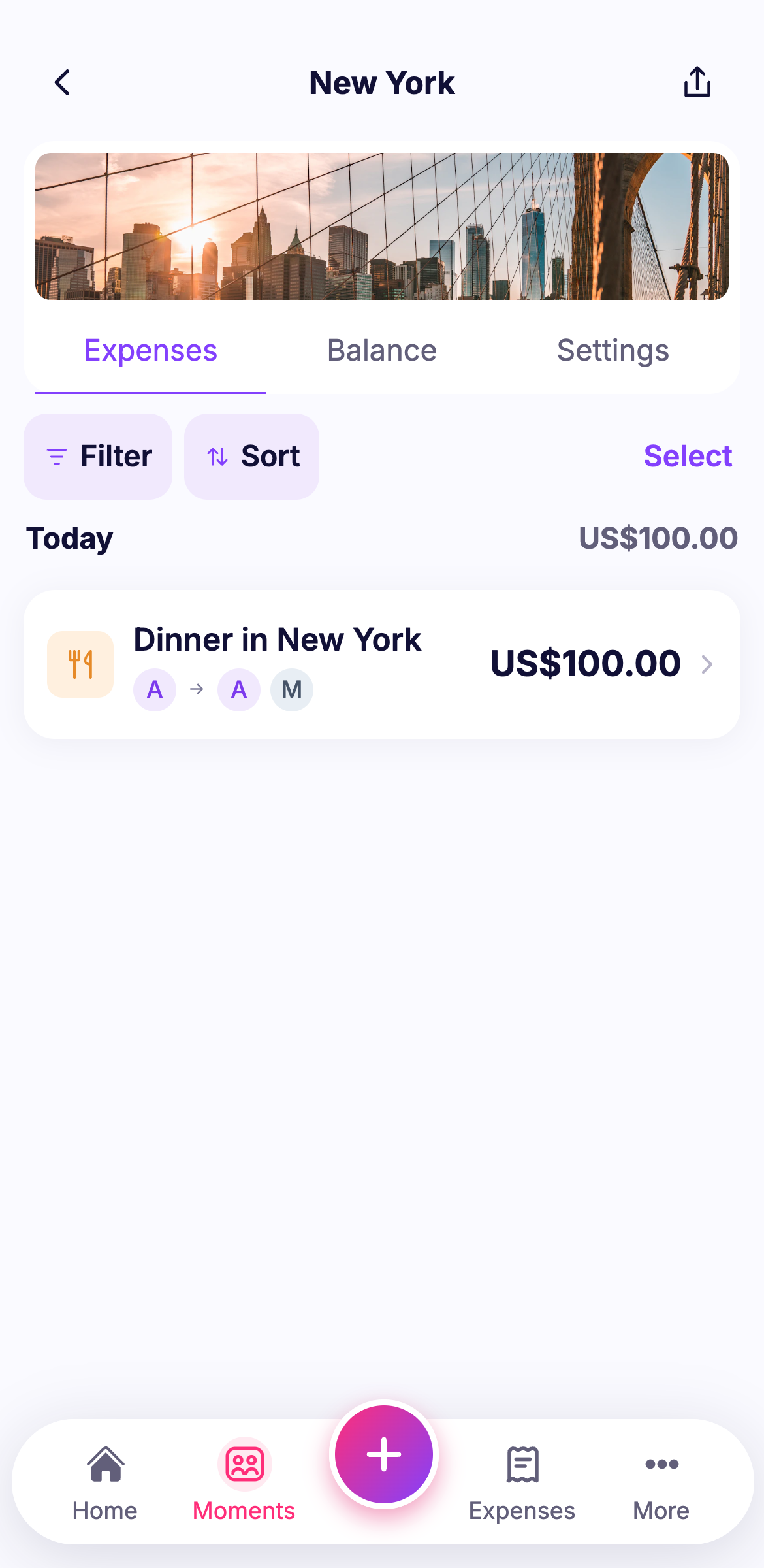
The same dinner for everyone.
- Recorded expense
- $100, paid by Alice
- Each person’s share
- $50
- Shared debt
- Marc owes Alice $50
Captured in Spentino with the example expense. The EUR and GBP summaries above explain the display conversions; they are not app screenshots.
View full-size screenshotChanging Alice’s account to EUR or Marc’s to GBP does not rewrite that $50 debt. When they check the balance or record a repayment, the exact amount belongs to the USD Moment.
What happens when exchange rates change?
The expense conversion is recorded when you save. A later change in exchange rates does not recalculate the amount already recorded in the Moment. Home spending summaries use the historical rate for the expense date.
Your Balances can also show an indicative total in your account currency, marked ≈ when converted. That overview uses the latest published rate available by the previous day, so its equivalent can differ from a historical spending summary. The exact debt within the Moment stays the same.
Choose the Moment’s reference currency when you create it; it stays fixed. If you enter a purchase in another currency, Spentino keeps the original amount and the conversion into the Moment’s currency.
Finally, recording a repayment updates the balances. It does not transfer money: the actual payment takes place outside Spentino.
Make it your own
Start with one real expense or one project. Review the people, amount, currency and Moment before saving, and build from there.
Discover Spentino